
Slack Alerting
How to configure an AI Studio project to post error alerts to your Slack Workspace
You can easily configure your AI Project, such as an AI Agent, to push notifications to your Slack Workspace whenever an error occurs. This process only takes a few minutes to configure.
Note: You must be an Administrator on your Slack workspace to complete these steps
Setup
- Visit https://api.slack/com/apps
- Create New App → From scratch
- Give it a name like
Quiq AI Agent Alerting - Select your Slack Workspace and click 'Create App'
- In the left sidebar of the app settings page, go to Features → Incoming Webhooks
- Toggle 'Activate Incoming Webhooks' to on
- Scroll down and click 'Add New Webhook to Workspace'
- PIck the channel where you want the alerts to be posted.
- Note: you must be a member of this channel for the integration to work
- Click 'Allow / Authorize'
- You should now see a new webhook URL under 'Webhook URLs'. Copy this URL
- Login to AI Studio and navigate to your AI Project, such as an AI Agent, and navigate to the Advanced tab
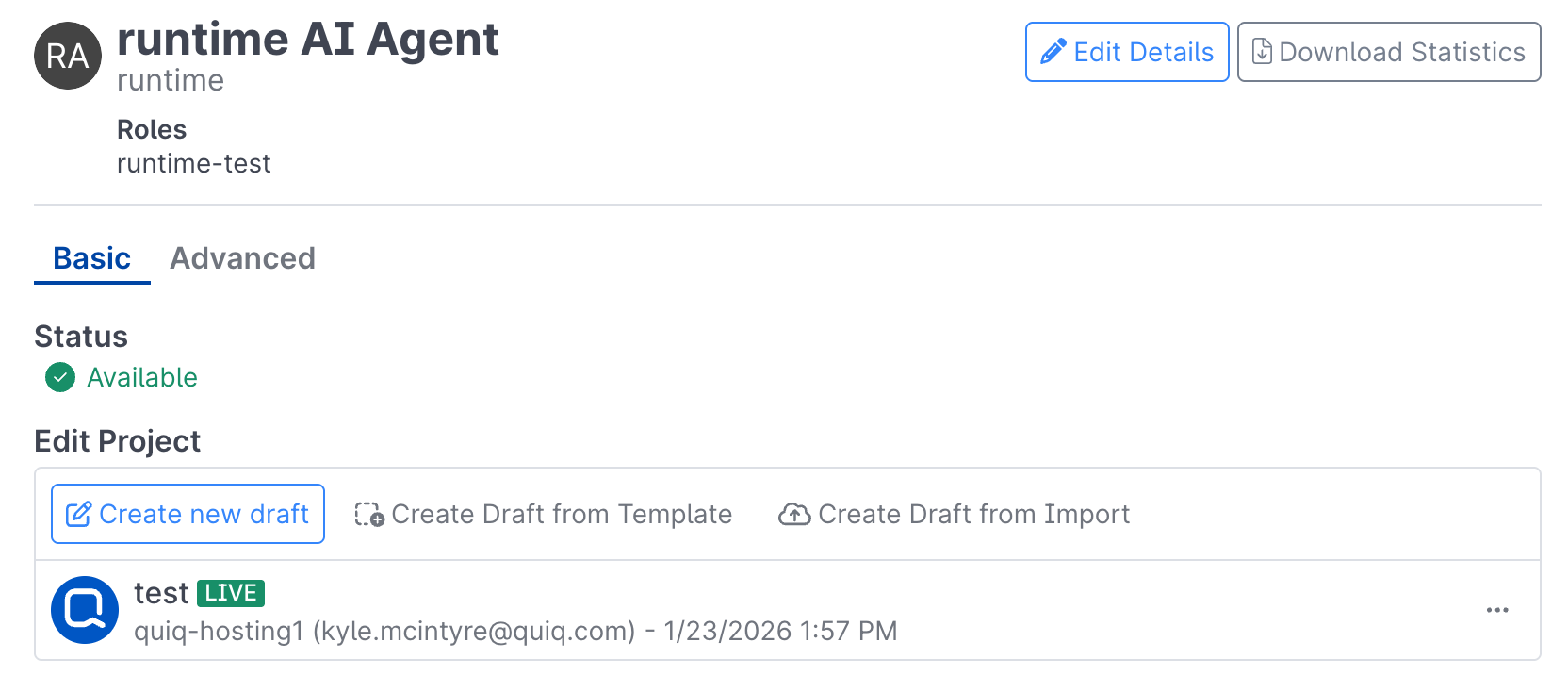
- Under 'Slack Integrations', click 'Add Channel' and enter your webhook URL and the channel you configured for alerting. Press save
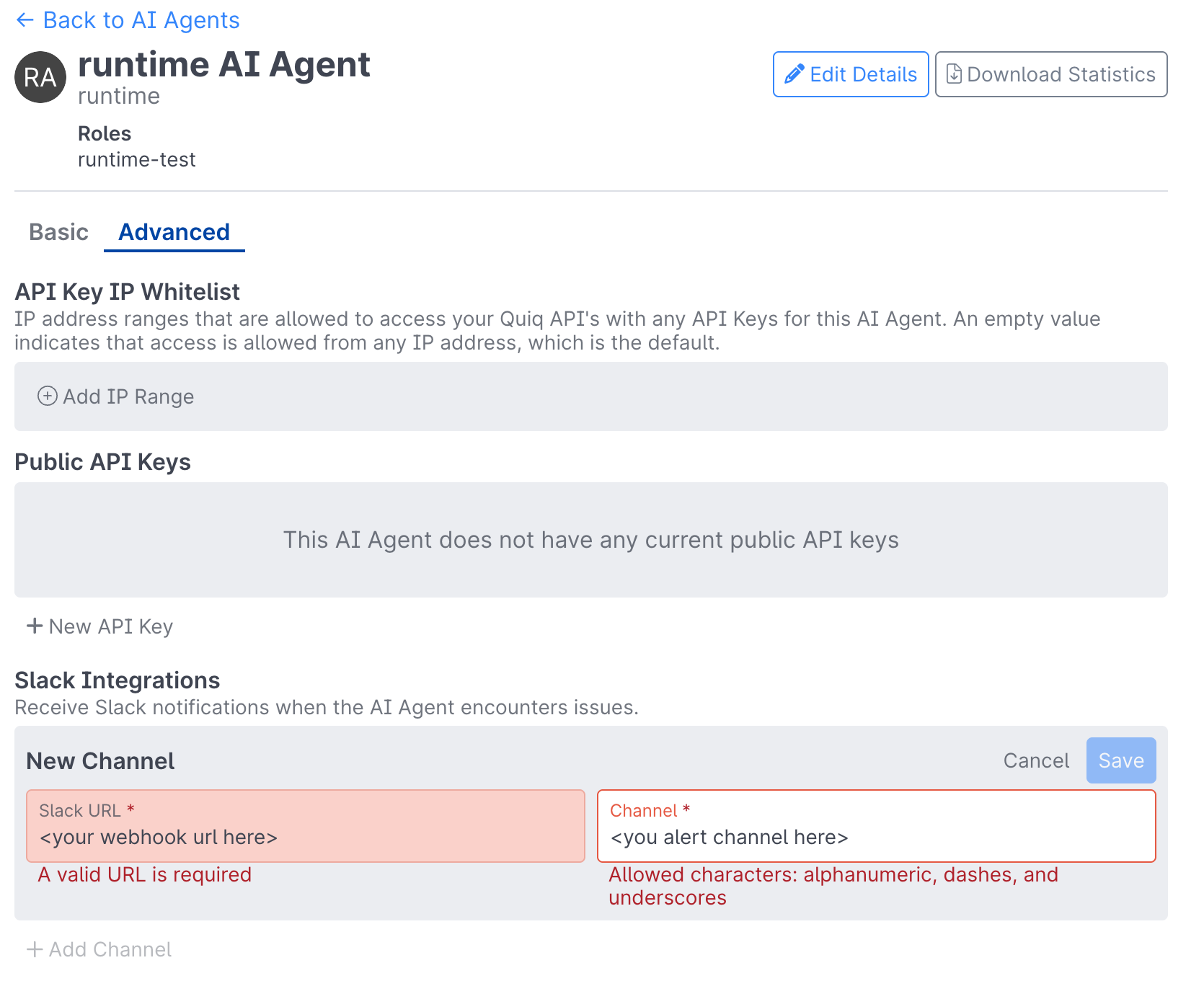
Setup complete!
Verifying the Setup
Alerts will only be pushed for errors that occur on the published version of your agent (no alerts are posted for errors that occur while a builder is working in AI Studio). You can verify that your slack alerting is working correctly by taking the following steps
- Create a new draft of your project.
- Insert a new action step somewhere in your flow that uses the 'Flag as Error' action
- Note: if you do this on a live agent with a lot of traffic, you may generate a lot of alerts depending on where you put it in your flow. You could possibly condition based on your phone number or something to make it more selective, or bury it somewhere deeper in the flow.
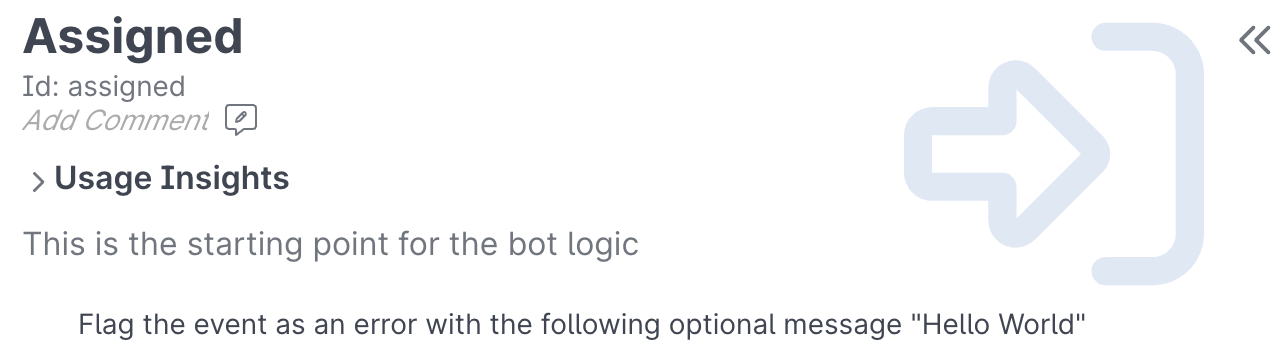
- Save/Publish your agent, then go talk to it through a public endpoint (not through AI Studio)
- You should receive a push alert in your Slack Workspace
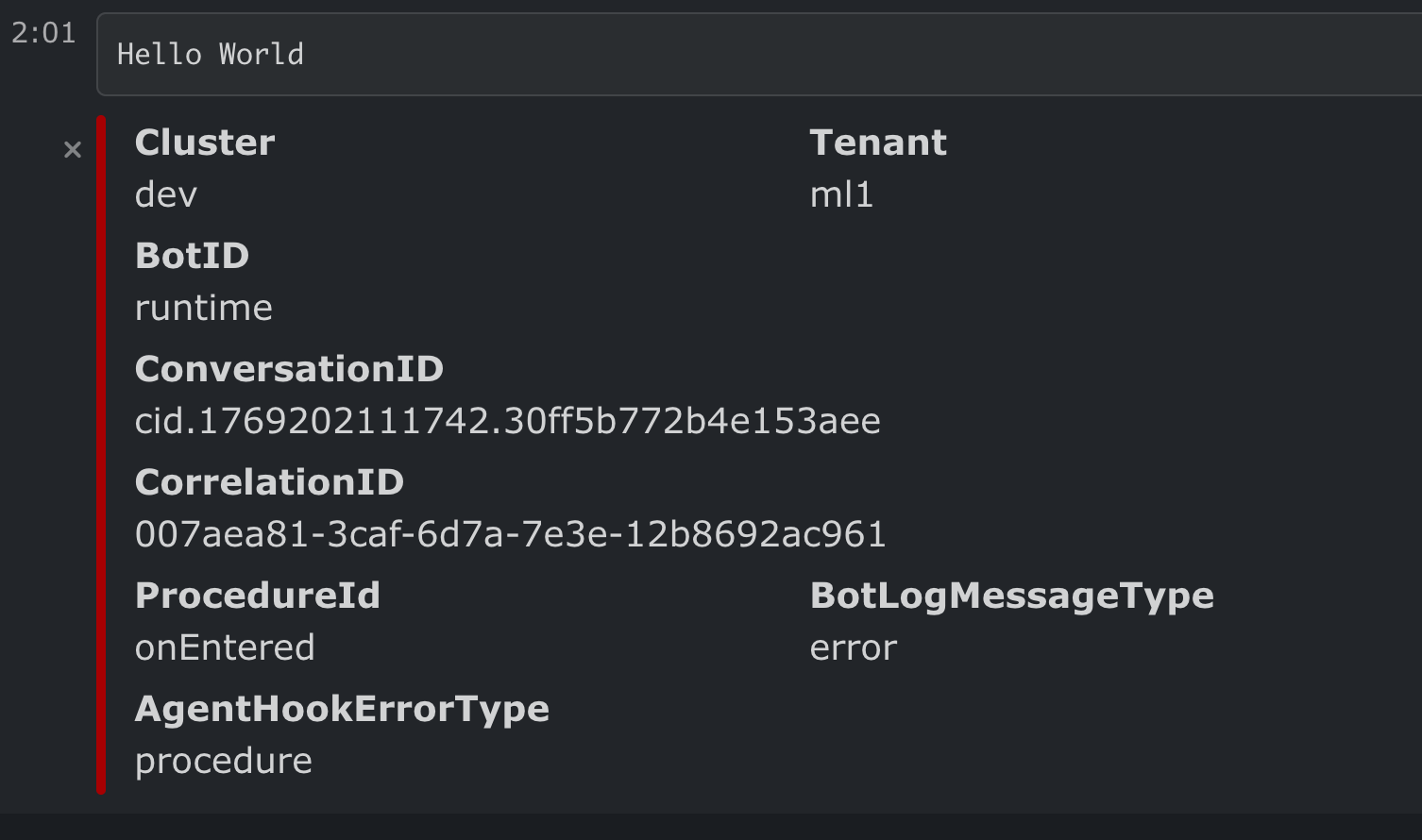
- Remove the Flag as Error action you added and republish
Updated 9 months ago
Did this page help you?